
Machine vision that adapts to your needs
From an empty project to a trained model. In an afternoon.
Teach a camera to find what matters on your line: defects, parts, labels, pallets, fruit. Set up a project, label, train and run, at the machine, on the computer or on the phone. One app, five steps, no data-science team.
What it is for
Your camera, your classes, your model.
embidetect is for anything a camera should recognise, count, locate or check on your line. From a quality check with bounding boxes to hand detection in a workflow with keypoints: six examples as the camera sees them, with the classes the model learns and what the result is used for.
Quality controlBounding box
Parts pass the camera on the belt. The model marks each one as good or names the defect.
- The model learns
- okscratchdent
- What you get
- A reject signal for the bad part, and the defect rate per shift.
Counting and stockBounding box
Bolts in a tray, bottles in a crate, boxes on a pallet: the model finds each one, the app counts them.
- The model learns
- bolt
- What you get
- The count per tray, crate or pallet, checked against the order.
Packaging and labelsBounding box
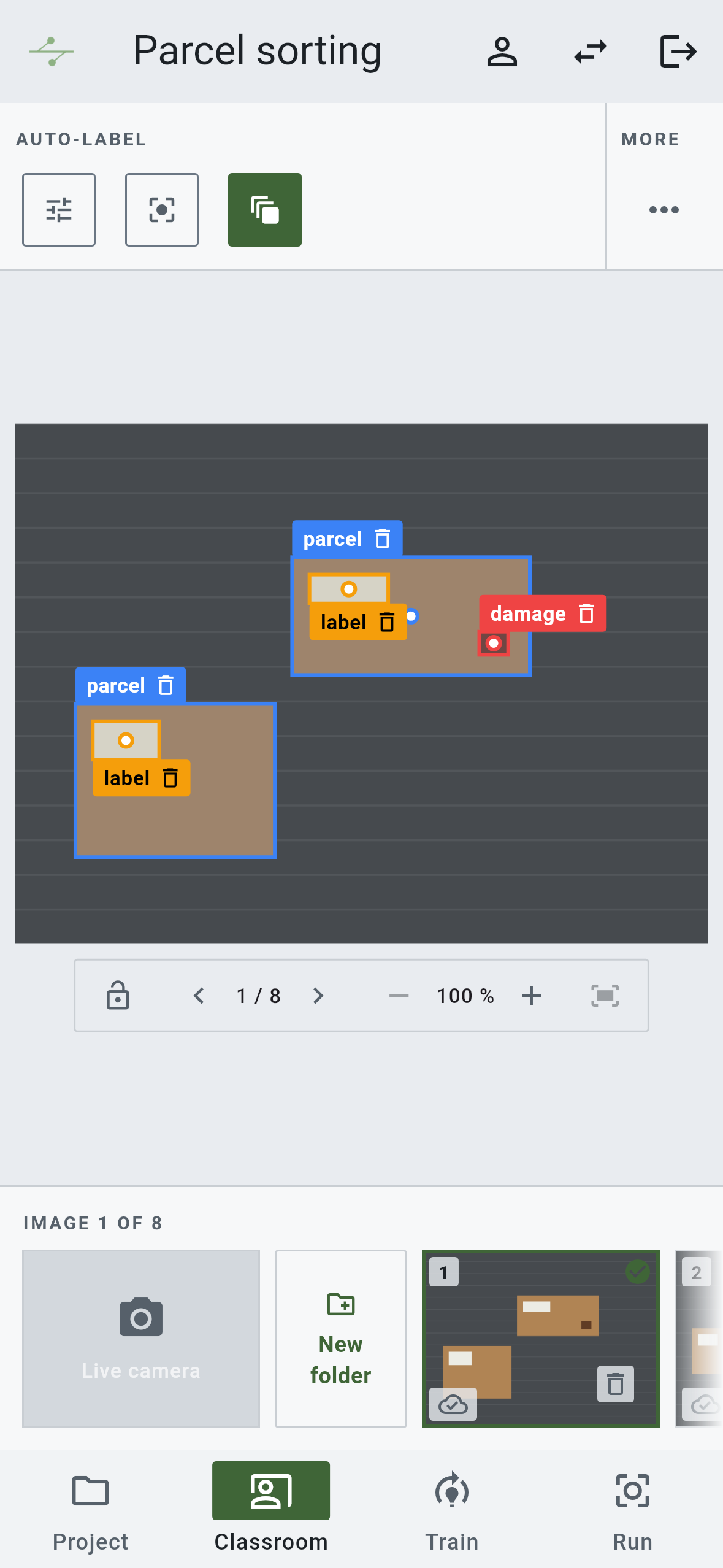
Every parcel on the belt: is the label there, is the box intact?
- The model learns
- parcellabeldamage
- What you get
- A parcel without a label or with damage is pulled before it ships.
Agriculture and foodSegmentation
Fruit on the sorting line, outlined and graded by size and shape.
- The model learns
- grade Agrade Bsmall
- What you get
- Each piece goes to its grade, and the share per grade is known per batch.
Assembly and solder jointsBox and keypoint
A board after placement and soldering: every component in place, pin 1 where it belongs, no bridge between pads.
- The model learns
- iccappin 1bridge
- What you get
- A missing part or a bridge stops the board at the station, with the spot marked.
Hands in a workflowBox and keypoint
A camera over the workstation sees the hands, the tool and the part. The model knows which step is being done and whether the hand is where that step says.
- The model learns
- handscrewdriverhousing
- What you get
- A step is confirmed when hand and tool meet the right spot; a skipped step stops the line before the part moves on.
And the same way for:
- 01Logistics and goods receipt
- 02Completeness check
- 03Measurement
- 04Sorting
- 05Labels and lettering
- 06Condition monitoring
- 07Positioning and alignment
- 08Livestock
- 09Foreign object detection
- 10Lab and medical technology
- 11Construction and infrastructure
Problem
Custom machine vision rarely fails on the idea. It fails on the effort.
Where it gets stuck.
- 01
Weeks pass before anything runs in production.
- 02
Training and model choice need specialists.
- 03
Tools cover only a part of the process.
- 04
In operation, the model does not get better.
Workflow
Set up. Label. Train. Run. Adapt.
Five steps, one app, every user on the same path. The first three train a model; the last two keep it learning.
Set up
Define the task, mount the camera, collect images.
Project02Label
Mark what matters, the AI helps.
Classroom03Train
Train the model with one click.
Train04Run
Check it live at the machine, on the computer or on the phone.
Run05Adapt
Uncertain cases go back to labeling, with proposals.
Auto-capturingAuto-capturing: uncertain cases back to labeling, with proposals and a human in the loop.
01Set up
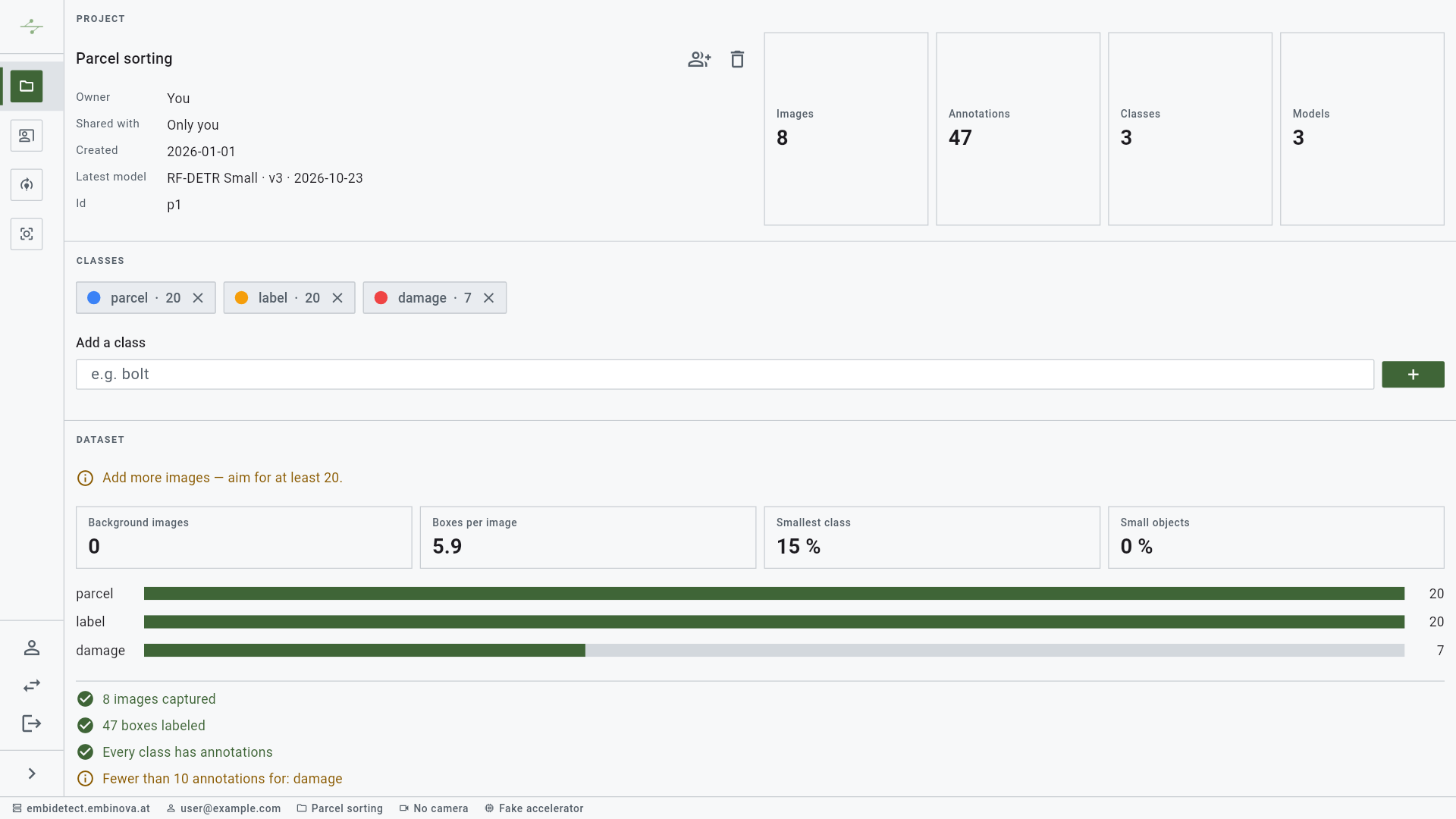
One project per task. Rights for every step.
Create a project and name its classes. Images go in folders, by batch or by line, captured from a camera or imported. Share the project by e-mail with rights per step, checked on the server, and train several models in it: families and sizes to compare, version by version.
02Label
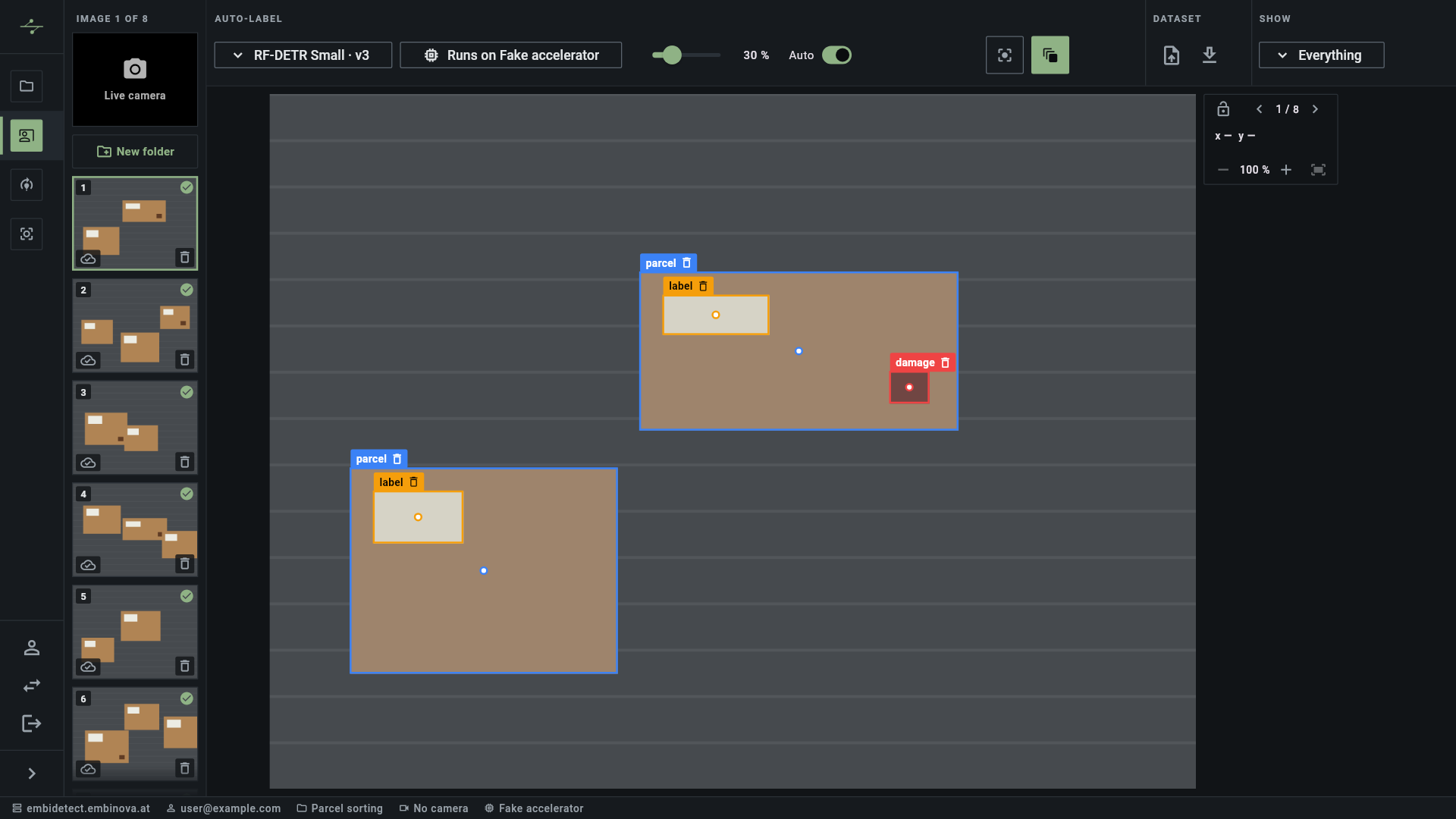
Labeling with assistance after the first training.
Choose the label type by the model you want later: a box, an outline or a box with a keypoint. Draw a box and pick the class; outline assist turns the box into the contour. From the first model on, the app proposes labels for all three types, and you accept or reject them.
1Bounding boxDetection
Draw a box.
2SegmentationOutline assist
The box becomes the contour.
3Box and keypointKeypoint
The keypoint sits in the centre and moves.
From the first model on, labeling proposals come for all three types.
03Train
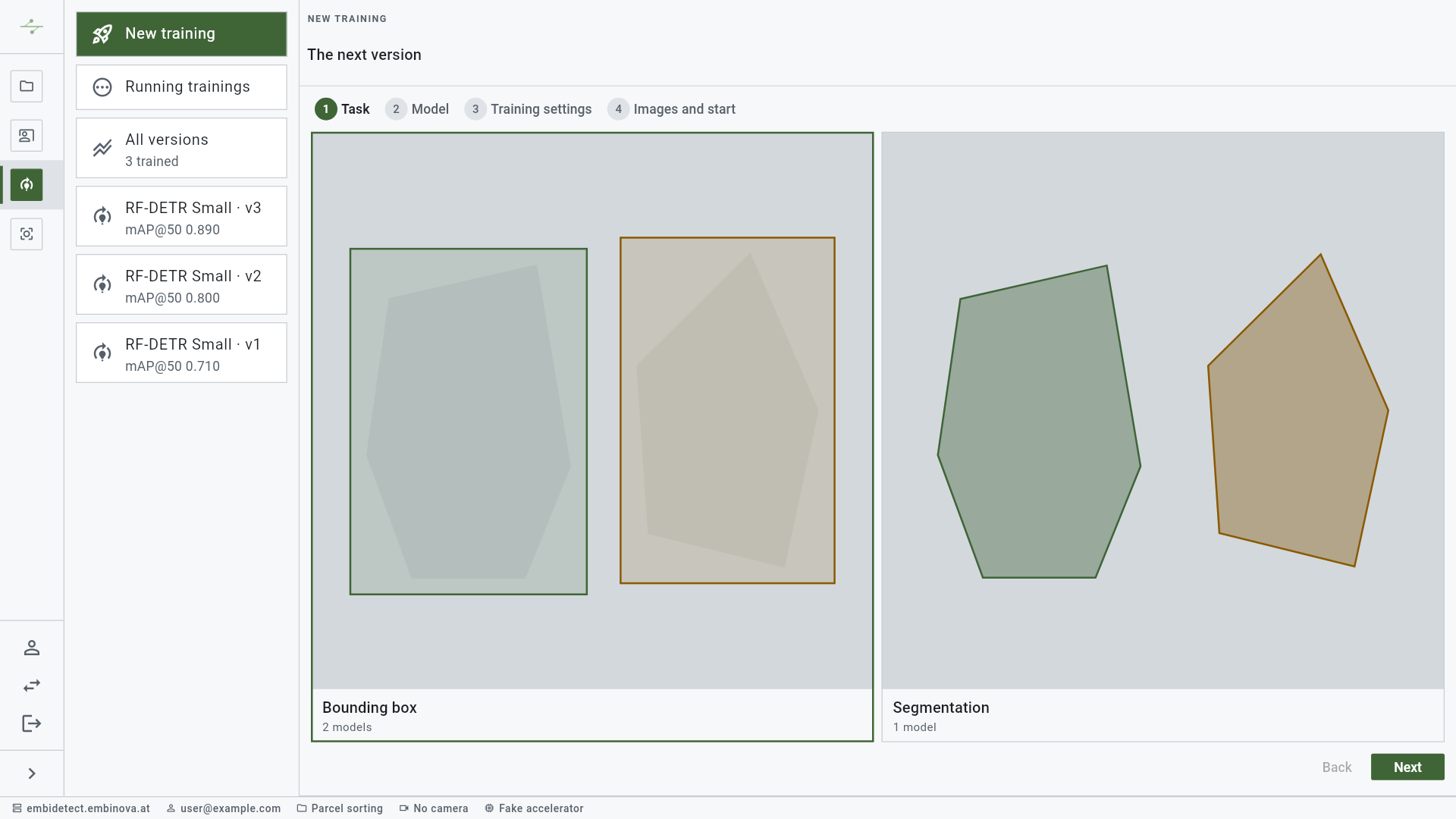
The right model, measured, not guessed.
Pick a family, choose Quick try, Balanced or Thorough, and start. The training runs on our GPUs, mAP and loss are charted every epoch, and every version carries its numbers, so the one you deploy is the one that measured best.
Training
12 families, every version with its numbers.
- Epochs
- Batch size
- Learning rate
- Image resolution
- Early stopping
- mAP@50:95
- Precision and recall
- F1 and best threshold
- Errors per class
- FPS on the target device
- YOLOX
- RT-DETRv2
- D-FINE
- DEIM
- RF-DETR
- Faster R-CNN
- SSDlite
- RF-DETR-Seg
- Mask R-CNN
- YOLOX-Pose
- Keypoint R-CNN
- RF-DETR-Keypoint
04Run
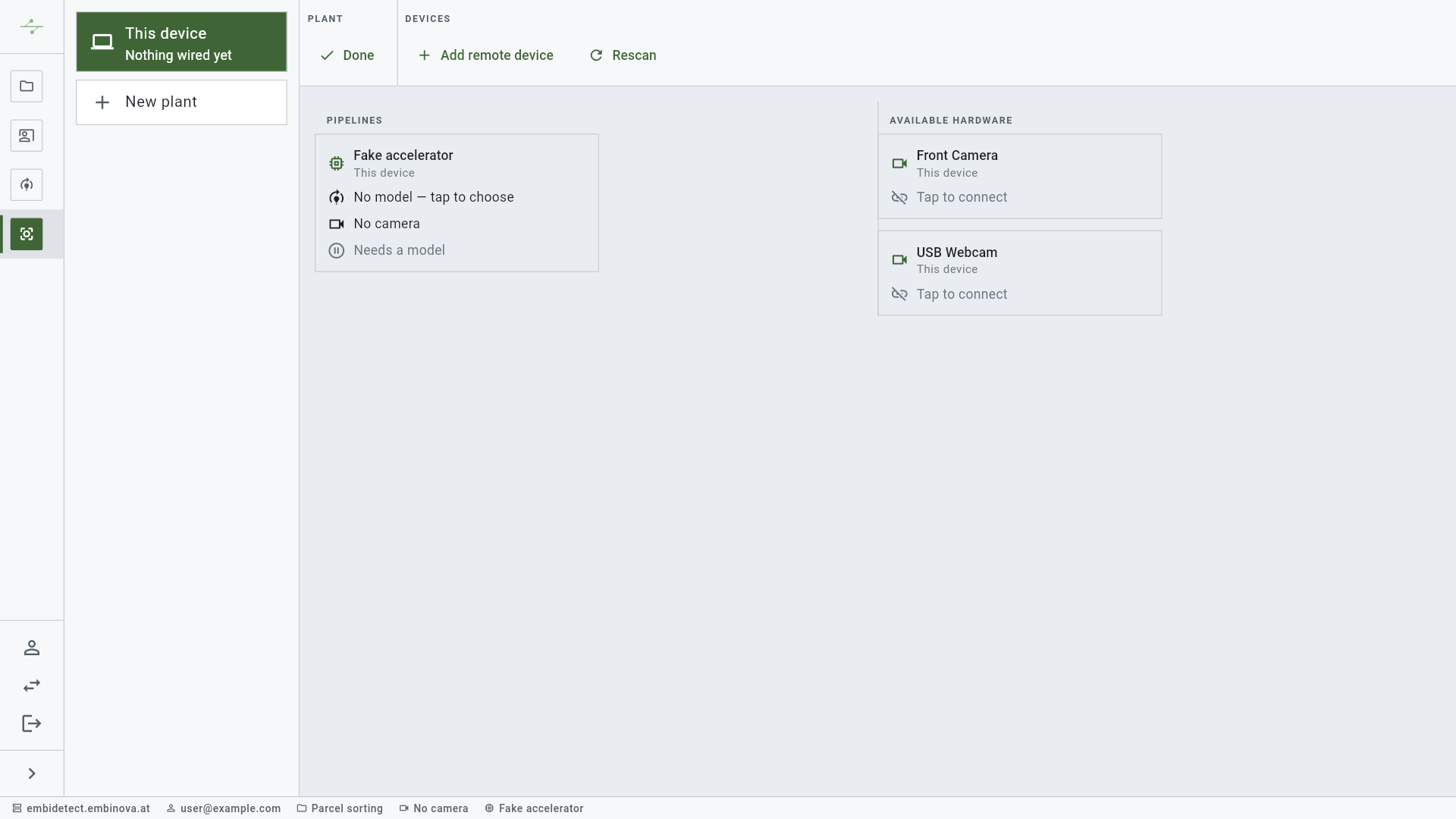
One model. At the machine, on the computer or mobile.
Choose a model version and a camera, and the plant runs. The same trained model runs in the browser, on a phone, on a PC or on an NVIDIA Jetson at the machine, and is deployed or swapped with one click.
Operation
All plants in view. Open to your machines.
- Stationary
Edge devicePreview
Continuous operation at the machine, the belt or in the field, with or without internet.
NVIDIA Jetson
- Workplace
Computer
Inspection station, lab and control room, in the browser too.
LinuxBrowser with WebGPUWindows, macOS planned
- Mobile
Smartphone
Check right where it happens, in the hall and in the field, on the tablet too.
AndroidiOS planned
Deploy a model any time and swap it with one click.
All plants at a glance
Installed devices and the model each one runs.
A journal per device
Deployments, configuration and access, traceable.
Open interfaces
A documented device protocol, COCO in and out. No lock-in.
Process data and machine control
Batch numbers, machine values or a signal to the PLC, integrated into your project with embinova.
05Adapt
The model learns from operation.
In operation, uncertain detections, just under the measured threshold, flickering or changing class, are collected. They come back to the classroom with the model's proposals, you confirm each label, on the phone too, and the next version is trained and deployed with one click. So the circle closes, after your sign-off.
- Collect uncertain cases
- Just under the measured threshold, flickering, or changing class. Capped per run, so no run becomes a recording.
- The model labels first
- Every collected frame comes with the proposals of the running model.
- A human confirms every label
- Nothing is trained on that nobody has looked at.
- The next version with one click
- Train, compare the numbers, deploy.
Why embidetect
What sets it apart.
Learns in operation, after your sign-off.
Everything in one solution.
- 01Set up
- 02Label
- 03Train
- 04Run
- 05Adapt
Flexible in model and device.
Open for your systems.
Deploy and swap with one click.
Rights for every step.
All plants in view.
EU hosting or on your own server.
Teams and deployment
Made for teams, deployed your way.
Rights per step, an admin portal, model families switched on or off centrally, and an audit log of every security-relevant action.
Hosted by embinova
Sign in to the web app. We run the servers, the GPUs and the updates, in the EU.
On your own server
The same signed container images as a Docker Compose stack on your infrastructure.
Privacy, GDPR
Export all your data in one click, delete your account; the postal address is stored encrypted, everything travels over TLS.
Product security, CRA
Signed images with an SBOM, non-root containers, coordinated disclosure. Built to GDPR and the CRA; not a certification.
Let's talk
Book a live demo with us.
From the first image to a running model, with your own images.
- office@embinova.at
- Web
- embinova.at
- Address
- embinova GmbH, Raggal 77, 6741 Raggal, Austria